QR Codes & Print: Cut Pages, Not Value
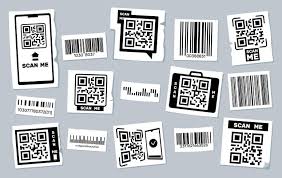
The customer squints at the fourth fold of your flyer, turning it sideways like it’s a treasure map. Somewhere between the “About Us” and the warranty section, they give up and toss it into the nearest recycling bin.
Ouch.
Meanwhile, your designer is weeping over the font size (now legally classified as “ant-sized”), and your print bill just came in hot like peri-peri sauce.
Sound familiar?
Enter: the QR code—that quiet little square that can rescue your layout, your budget, and your audience’s attention span, all in one scan.
Print’s Tiny, Techy Sidekick
QR codes are like that chill friend who says,
“Hey, don’t worry about cramming everything into this poster. I got you.”
Instead of printing your full price list, product catalogue, location map, customer testimonials, and your dog’s backstory—all on a single A5—you can just say:
“Scan here to see the full magic.”
Simple. Sleek. No paper gymnastics.
Trimming Pages, Saving Rands
Let’s be honest: paper isn’t cheap, ink is practically liquid gold, and double-sided printing starts sounding like a TED Talk in budgeting.
QR codes help you:
- Cut page count while keeping all the info
- Update content digitally—no reprints every time a price changes
- Track scans and engagement (yes, your flyer now comes with analytics)
- Stay eco-friendlier by ditching paper bloat
Real-Life Scenarios Where QR Codes Slap
- Restaurant Menus: Keep the physical one short and sweet. Let QR do the heavy lifting with pics, specials, and allergen info.
- Business Cards: You’ve got space for a name, a title, and one line. The QR leads to your portfolio, résumé, booking calendar—even your latest TikTok.
- Event Posters: The headliners go on paper. The rest—schedules, maps, RSVPs—live behind the scan.
- Product Labels: No space for how-to guides, customer reviews, or inspiration reels? Stick a code on it.
QR Code Printing Tips (Don’t Skip These!)
- Make it scannable. High contrast. No pixel art backgrounds, please.
- Size matters. At least 2×2 cm on print. No one wants to play “Scan the Microscopic Code.”
- Test it. Before printing 10,000 brochures, make sure it doesn’t lead to a 404 page—or your old blog from 2009.
- Add a CTA. “Scan to order,” “Scan to win,” or “Scan if you’re awesome.” Tell people why they should scan.
Superpowers
Let’s be clear: QR codes aren’t here to kill print. They’re here to liberate it.
They take your cluttered, crumpled, over-designed paper and give it space to breathe. They let you keep your physical brand presence without sacrificing detail, depth, or interactivity.
You’re not just printing a pamphlet—you’re launching a portal.
The Slimmer, Smarter Print
Cutting pages doesn’t mean cutting corners. With QR codes, you give people the essentials upfront and everything else when they want it.
So stop stuffing. Start scanning. And let your next print job work smarter, not thicker.
Because in a world of shrinking attention spans and rising paper prices, QR codes are your paper’s best friend with benefits.