7 ROOKIE MISTAKES THAT MAKE YOUR PRINT BILL SKYROCKET
By Pearl Mantjie
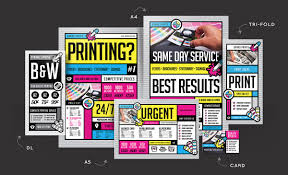
Printing shouldn’t feel like you just financed a small yacht. But somehow, between “Let’s make it glossy!” and “Can we emboss the QR code?” your print bill grows legs, books a flight, and heads straight into the stratosphere.
If you’ve ever opened a printing invoice and whispered “Wait…how much?!” through gritted teeth, chances are you’ve made one (or all) of these classic rookie errors.
Here’s your crash course in not letting your wallet bleed ink.
Designing Without Considering Standard Sizes
AKA: “I wanted it to look unique.”
Custom sizes might look cool in Canva, but printers charge extra for anything that requires more trimming than your aunt’s poodle. That beautiful square flyer? It’s basically the caviar of print jobs.
Quick Fix: Stick to standard sizes like A4, A5, or DL unless you want your print bill to also be… custom-sized.
2. Going Full Rainbow With Colour Choices
Because why settle for 4 colours when you can add neon, metallic, and a splash of unicorn glitter?
Specialty inks (like Pantone, metallics, or spot UV) add flair—and by flair, we mean cha-ching.
Quick Fix: Use CMYK cleverly. Good designers can make standard colours sing like Beyoncé without needing extra ink bells and whistles.
3. Paper That’s Fancier Than Your Wedding Invite
You ordered 450gsm, pearlescent, triple-layered business cards… and now you’re broke.
Do your clients need to feel like they’re touching dragon hide every time they grab your flyer? No. No, they do not.
Quick Fix: Match the paper to the purpose. You’re not printing a royal decree—200gsm matte will do just fine.
4. Not Proofreading Like Your Rent Depends On It
You hit send to print and realise only afterward that your business card says “Pubic Relations” instead of Public. Welcome to the Hall of Shame.
Quick Fix: Proofread like your reputation is on the line—because it is. Bonus points for getting someone whose job isn’t in the design department to check it.
5. Ignoring Bleed and Margin Guidelines
Bleed isn’t just what your budget does when you forget it. It’s that teeny-tiny border printers need to avoid chopping off your design like it’s a bad haircut.
Quick Fix: Use your printer’s setup template. It’s not a suggestion. It’s a holy document.
6. Ordering Tiny Quantities Over and Over
Ordering 50 flyers this week, 75 next week, and 12 when the moon is full? That’s not budgeting—that’s witchcraft.
Quick Fix: Print in bulk. Think of it like toilet paper: you don’t want to run out, and buying in bulk saves serious cash.
7. Not Asking for a Quote First
You didn’t ask for a quote. You just hit “GO.” Now you’ve got a gorgeous stack of printed heartbreak and a bank balance crying in Comic Sans.
Quick Fix: Always—always—get a quote. Let the printer tell you where the money’s hiding. They’re not just trying to rob you; sometimes they’re trying to save you.
Printing doesn’t have to be expensive, stressful, or smell like regret. If you dodge these seven classic blunders, your printed materials (and your finances) will thank you.
And if all else fails—ask a professional. Preferably before you hit “PRINT.” Or before you order another batch of business cards that say “Manger” instead of Manager.